
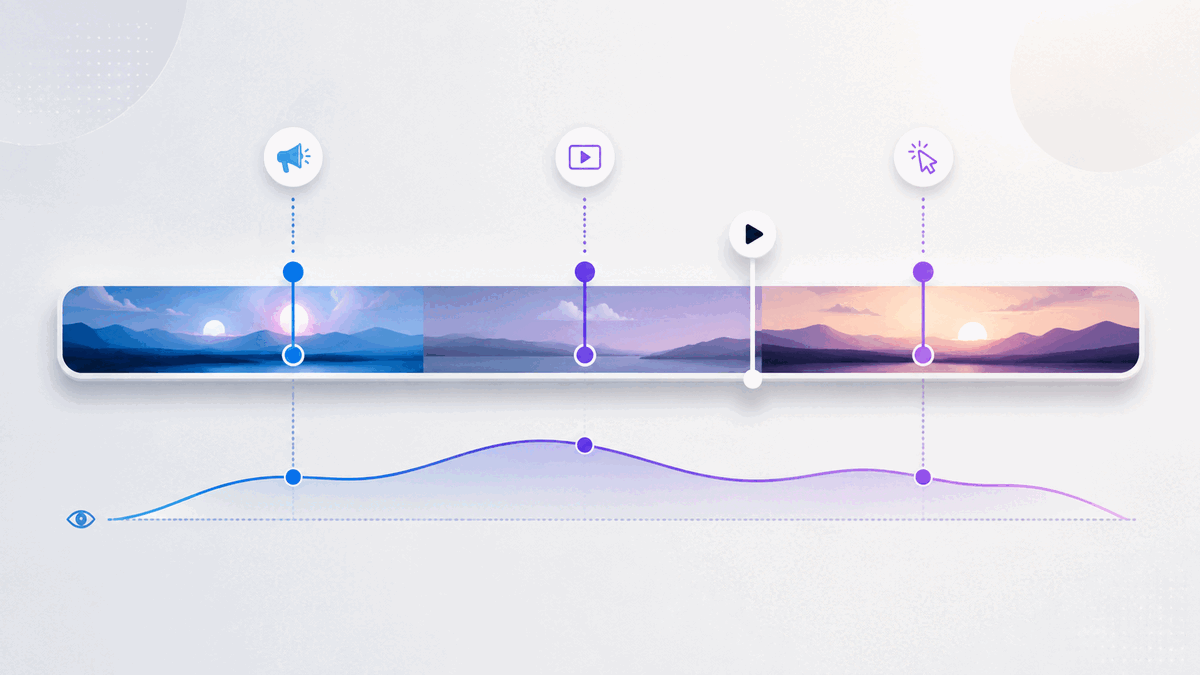
A video call to action can be clear, relevant, and persuasive yet still underperform because it appears at the wrong moment. Show it before the viewer understands the value and the request feels premature. Wait until the final frame and interested viewers may never see it.
There is no universal timestamp that solves this problem. The right video CTA timing depends on what you are asking, what the viewer already knows, and when the video earns enough trust to make the next step feel reasonable.
This guide gives you a practical way to choose that moment without relying on invented benchmarks or guesswork.
What is the best time to show a video CTA?
The best time to show a video CTA is the earliest point at which an interested viewer has enough context to understand the offer and enough motivation to take the next step. That point may be near the beginning for a familiar offer, midway through a demonstration after the key benefit becomes clear, or at the end when the full argument matters.
Use these four questions to find it:
- What exact action should the viewer take?
- What must the viewer know or believe before that action makes sense?
- At what moment does the video provide that context?
- What does viewer behavior show after the CTA goes live?
This turns CTA placement into an editorial decision you can test and refine, rather than a rule based only on video length.
Start with the action, not the timestamp
Before choosing when a CTA should appear, define what it should accomplish. “Get more conversions” is too broad. Name one observable next step:
- View a product page
- Book a consultation
- Start a trial
- Download a resource
- Register for an event
- Join an email list
The size of the request affects its timing. A low-commitment action such as viewing a related resource may need little preparation. A higher-commitment action such as booking a call usually needs more context: who the offer is for, which problem it addresses, and what happens after the click.
Write the intended action at the top of your video outline. If you cannot express it in one sentence, the CTA is not ready to time.
Identify the minimum context the viewer needs
A CTA becomes timely when the viewer has the information needed to evaluate it. That does not always mean watching the entire video. It means reaching the point where the request follows logically from the content.
For a product demo, that point might come just after the viewer sees the core workflow. For an educational video, it might follow the first useful lesson, when a related template or deeper guide becomes relevant. For a sales video, the CTA may need to wait until the problem, proposed solution, and important objections have been addressed.
List the minimum context required before the ask:
- The problem is recognizable.
- The promised next step is relevant to that problem.
- The viewer knows what will happen after clicking.
- The request is proportionate to the value delivered so far.
The CTA should generally appear after these conditions are met, not after an arbitrary percentage of the runtime.
Map the moments that matter in the video
Review the video as a sequence of decisions rather than one continuous block. Mark the moments where the viewer learns something important, sees evidence, understands the mechanism, or receives a complete answer.
| Video moment | What changes for the viewer | CTA implication |
|---|---|---|
| Problem recognition | The viewer recognizes that the subject applies to them. | A light next step may be relevant, but a large request can still feel early. |
| First useful insight | The video has delivered value and established relevance. | A resource or low-commitment action may fit here. |
| Mechanism or demonstration | The viewer understands how the proposed solution works. | A product-focused CTA may now have sufficient context. |
| Objection resolved | A likely reason for hesitation has been addressed. | A higher-commitment CTA may become more reasonable. |
| Summary or conclusion | The complete argument or lesson is clear. | A direct next step can close the loop. |
This map gives you candidate CTA moments. Choose the earliest candidate that supports the specific action you defined.
When early, middle, and end CTAs make sense
Use an early CTA when intent is already high
An early CTA can work when viewers arrive with clear intent and the offer needs little explanation. Someone watching a short feature walkthrough from a product page may already know the product and simply need a route to the relevant next step.
Keep an early CTA proportional to the context available. “See the full example” makes a smaller leap than “Book a strategy call” in the opening seconds.
Use a mid-video CTA after a meaningful payoff
A middle placement is useful when the video delivers an important insight or demonstration before its conclusion. The CTA can appear immediately after that payoff, while the next step is relevant to what the viewer just learned.
Avoid interrupting a sentence, demonstration, or unresolved idea. A natural transition is usually a better trigger than the mathematical midpoint.
Use an end CTA when the complete argument matters
An end CTA fits stories, tutorials, and sales messages that depend on a sequence. The viewer receives the full explanation before being asked to act.
The tradeoff is reach: some viewers will leave before the conclusion. That does not automatically make the placement wrong. If the people who remain are the only viewers with enough context for the offer, the end may still be the most coherent moment.
Match the CTA type to the commitment level
Not every prompt inside a video serves the same purpose. A clickable CTA sends the viewer to another destination. A lead gate or email opt-in asks the viewer to exchange information for access, continuity, or an additional resource. These actions create different levels of friction and should not be timed as if they were interchangeable.
Use a clickable CTA when the natural next step exists elsewhere, such as a product page, booking page, or related guide. Use a lead-capture request when the exchange is explicit and the value of continuing is clear. In either case, the viewer should understand what they receive and what happens next.
If you present more than one action, give each a distinct role. Repeating the same high-commitment request at every transition can weaken the experience instead of strengthening it.
Write CTA copy that explains the destination
Timing cannot rescue an unclear CTA. Labels such as “Click here” or “Learn more” make the viewer infer both the destination and the benefit. Prefer specific language:
- See the complete workflow
- Download the campaign checklist
- Compare the available options
- Book a product walkthrough
This is also an accessibility consideration. The W3C’s WCAG 2.2 guidance says a link’s purpose should be understandable from its text alone or from its programmatically determined context. Its guidance for interactive components also calls for names and roles that assistive technology can determine. Review W3C guidance on link purpose and W3C guidance on component names and roles when implementing the interaction.
As an editorial check, read the CTA label without the surrounding video. If the next step is still understandable, the copy is doing useful work.
Measure and revise CTA timing responsibly
Your first placement is a hypothesis. Viewer behavior can help you decide whether to keep it or move it.
Start with three questions:
- Do viewers reach the CTA? Compare its timestamp with watch-time and drop-off patterns.
- Do CTA clicks occur? CTA click data shows whether the prompt generates recorded clicks. Interpret it alongside how many viewers appear to reach that part of the video, without treating the comparison as a precise view-to-click rate unless your measurement setup supports it.
- Does the destination complete the journey? Evaluate the result on the destination page with the appropriate measurement system rather than treating a click as the final outcome.
Interpret the sequence carefully. If few viewers reach the CTA, moving it earlier is one possible response, but it is not the only one. The opening may be attracting the wrong audience, the video may take too long to deliver value, or the CTA may depend on information that arrives late. Editing the video can be more useful than moving the button.
If viewers reach the CTA but rarely click, inspect the offer, label, visual prominence, and surrounding message before blaming timing. If clicks occur but the destination does not produce the intended next step, review the match between the CTA promise and the landing page.
Change one major element at a time when practical. A simultaneous change to the video, CTA copy, destination, design, and timing may improve results, but it will not tell you which change mattered.
Common video CTA timing mistakes
Choosing a percentage instead of a persuasion moment
Placing every CTA halfway through every video is consistent, but consistency is not the same as relevance. The meaningful payoff could happen much earlier or later.
Waiting for the end by default
The conclusion is a logical location, not a mandatory one. If the viewer receives enough context earlier, an earlier opportunity to act may be useful.
Asking before delivering value
A prompt that appears before the viewer understands the subject can feel like a toll. Earn the request with relevance, useful information, or a clear preview of what comes next.
Treating every drop-off as a timing problem
Drop-off can identify where attention changes, but it does not explain why. Review the content around that moment before drawing a conclusion.
Optimizing for clicks alone
A compelling label can earn clicks that the destination cannot satisfy. Judge the CTA as one part of a complete path, from the video’s promise to the page after the click.
A practical video CTA timing worksheet
Use this short worksheet before configuring a CTA:
- Primary viewer: Who is this video for?
- Single next step: What should that viewer do?
- Commitment level: Is the request low, medium, or high commitment?
- Required context: What must the viewer understand first?
- Context-complete timestamp: When has the video supplied it?
- Natural transition: Where can the CTA appear without interrupting an idea?
- CTA label: Does the text explain the destination or outcome?
- Reach check: What do watch-time and drop-off patterns show around that moment?
- Action check: What do CTA clicks show among viewers who reach it?
- Next revision: Which single major variable will you change if needed?
Document the reason for the original timestamp. That note prevents future decisions from becoming a cycle of unexplained adjustments.
How Vidzy supports a CTA-timing workflow
Vidzy is an embeddable, conversion-focused video player with timed calls to action and clickable CTA links. Its video analytics include watch time and drop-off data, and it can track CTA clicks. Vidzy also supports timed email opt-ins and lead gates when lead capture is the appropriate next step.
Those capabilities provide the placement and observation tools for this workflow. They do not replace the editorial decision. You still need to define the right action, identify when the video earns it, and evaluate the complete journey after the click.
Frequently asked questions about video CTA timing
Should a video CTA appear at the beginning or the end?
It depends on how much context the action requires. Use an early CTA when intent is already high and the next step is easy to understand. Use an end CTA when the viewer needs the complete lesson, story, or argument before acting.
Can a CTA appear in the middle of a video?
Yes. A mid-video CTA can fit immediately after a useful insight, demonstration, or resolved objection. Choose a natural transition instead of interrupting an unfinished idea.
Should I move a CTA earlier when viewers drop off before it?
Consider it, but first inspect why viewers may be leaving. The content may delay its main value, attract the wrong audience, or lose clarity. Moving the CTA earlier helps only if viewers have enough context to respond to it.
How do I know whether CTA timing is working?
Review whether viewers reach the timestamp, whether those viewers click, and whether the destination fulfills the promised next step. Watch time, drop-off patterns, and CTA clicks answer different parts of that sequence.
Choose the moment the message earns
Effective video CTA timing is not about finding a magic percentage. It is about matching the request to the viewer’s readiness. Define one next step, identify the context it requires, place the CTA after the video provides that context, and use behavioral data to refine the decision.
That approach gives the CTA a job, the timestamp a reason, and your next revision a useful starting point.