
Tag: Video CTAs

  • Video CTA Examples: What to Say for Six Viewer Goals

    Video CTA Examples: What to Say for Six Viewer Goals

    “Learn more” could mean opening a guide, watching a demonstration or speaking to a salesperson. If the next step is already clear to you, name it for the viewer. A useful video CTA gives them enough information to decide whether to continue.

    The video CTA examples below pair a spoken request with a short clickable label. Choose the example that matches the viewer’s task, then adapt it to your actual offer. These are original illustrative scripts, not customer campaigns, tested winners or promises of better results.

    1. Help the viewer apply a method

    Use this approach when the video teaches a process and a resource would help the viewer put it into practice.

    • Spoken line: “Use the planning worksheet to map these steps to your next campaign.”
    • Clickable label: “Open the planning worksheet”

    The resource has a specific job: taking the method out of the video and into the viewer’s work. The sentence does not need to claim that the worksheet will transform their results.

    Choose the verb carefully. “Open” fits a resource available to read or use. If the next page asks for an email before sending it, say so in the surrounding request and use a label such as “Request the worksheet.” Do not promise an immediate download when another action comes first.

    2. Let the viewer inspect a specific demonstration

    Use this when an overview leaves a practical question unanswered and a separate demonstration genuinely answers it.

    • Spoken line: “Watch the reporting walkthrough to see how the finished report is assembled.”
    • Clickable label: “Watch the reporting walkthrough”

    Naming the subject gives the viewer a reason to watch another video. “Watch more” only describes the amount of content, not what the next video contributes.

    Keep a recorded demonstration distinct from a sales appointment. If the destination asks someone to arrange a live session, “Request a reporting demo” is more accurate. Do not borrow the lower-commitment wording of a recording for a meeting request.

    3. Give an evaluating viewer a comparison task

    Use this after explaining meaningful differences between options, when the viewer needs to examine those differences in more detail.

    • Spoken line: “Compare the support options to see which responsibilities stay with your team.”
    • Clickable label: “Compare support options”

    This wording names both the subject and the decision. It is more informative than “Find your perfect fit,” which promises a conclusion without explaining what the viewer will actually examine.

    The destination should contain the named comparison. If it is only a general enquiry form, change the request accordingly. Avoid using “compare” as a softer-sounding substitute for an undisclosed sales conversation.

    4. Invite a conversation about a particular problem

    Use this when the next useful step requires information about the viewer’s situation, rather than another generic resource.

    • Spoken line: “Tell us about your rollout so we can discuss the implementation questions you need answered.”
    • Clickable label: “Request an implementation call”

    The subject makes the invitation concrete. The verb “request” also leaves room for the actual process: submitting an enquiry is not necessarily the same as reserving an appointment.

    If the destination truly lets someone choose and confirm a slot, “Book an implementation call” may fit. Describe charges, eligibility or other important conditions where relevant, using only facts you can substantiate. Do not add “free” or a response-time promise merely because it sounds reassuring.

    5. Connect an event invitation to its subject

    Use this when a video introduces a real upcoming session and registration is available.

    • Spoken line: “Join the campaign-planning workshop to work through the briefing exercise with us.”
    • Clickable label: “Register for the planning workshop”

    Name the event or subject instead of relying on “Save my seat.” The viewer should recognize the same session when they reach the registration page.

    If the video will remain available after registration closes, plan replacement wording. “Watch the workshop recording” describes a different offer and should be used only when that recording is actually available. Avoid a deadline or scarcity claim unless it reflects the real event.

    6. Help a shopper choose the relevant product option

    Use this when the video demonstrates an item but the shopper still needs to inspect sizes, materials or variants.

    • Spoken line: “View the desk’s dimensions and finishes to choose the version that fits your room.”
    • Clickable label: “View dimensions and finishes”

    The request supports a concrete shopping question without pretending the viewer is already ready to pay. “Buy now” is a different instruction; use it only when that is the action you intend to offer.

    Replace the example’s attributes with the information your product page actually provides. Do not promise available stock, delivery dates or a fit guarantee unless the current offer supports those statements.

    Edit the action before adding persuasion

    A practical first draft has a verb and a specific object: open the worksheet, watch the demonstration, compare the options, request the call. Add a reason when the connection to the video is not obvious.

    Then look for language that changes the commitment:

    • Watch versus book: consuming a recording is different from arranging a meeting.
    • Open versus request: immediate access is different from submitting information and waiting.
    • Compare versus buy: evaluating options is different from entering a purchase process.

    Do not make an action sound easier by obscuring what it requires. Make it easier to understand. Once the verb is accurate, remove decorative promises such as “unlock your potential” if they add no useful information.

    Let spoken copy explain and link text identify

    The narration has room to explain why a resource matters. A clickable label can be shorter while preserving its purpose. Shortening “Open the campaign-planning worksheet” to “Open it” saves words but loses the thing the viewer is choosing.

    W3C’s guidance on link purpose says that purpose should be identifiable from the link text or its programmatically determined context. Descriptive text is a useful starting point; narration alone should not be assumed to supply that programmatic context. Clear copy does not, by itself, establish that a whole player is accessible.

    Read the label without the script. Then read it beside the destination’s heading. If either reading suggests a different task, revise the wording before recording the final line.

    Use the copy with a real clickable next step

    Vidzy provides an embeddable video player with clickable CTA links and timed CTAs at chosen timestamps. Those capabilities provide a way to connect the request with a clickable action; the resource, event, booking process or shop described in these examples must be prepared separately.

    These examples do not imply that Vidzy supplies those destination services. They are writing patterns to adapt to the offer you actually have.

    Choose one example and replace its subject with your specific resource or task. Give the spoken line and label to a reviewer, and ask what they expect to receive or do next. If their answer differs from your offer, rewrite the request rather than adding another persuasive adjective.
  • Video CTAs: Build a Clear Path from Playback to Action

    Video CTAs: Build a Clear Path from Playback to Action

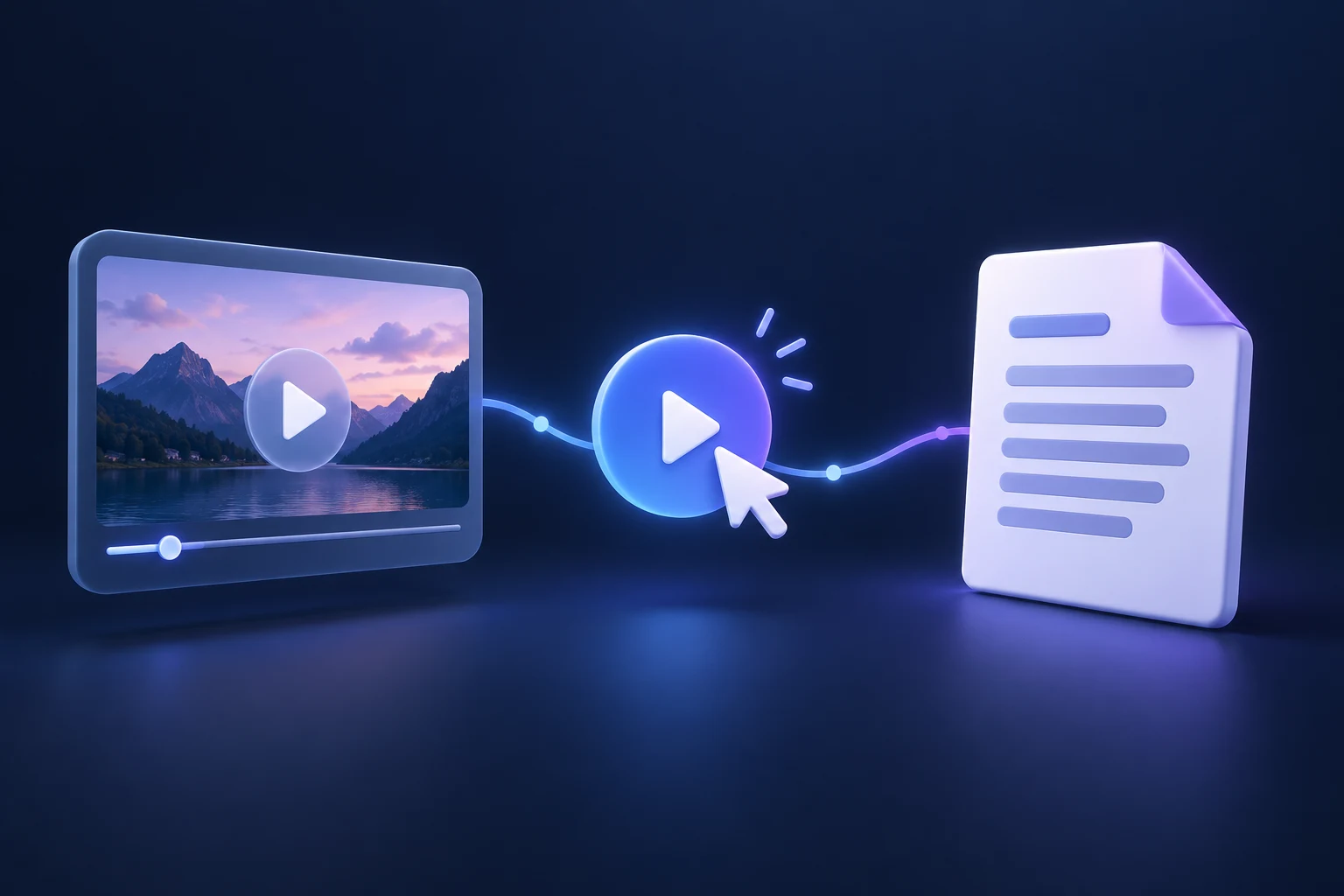
    A video can make a clear request and still leave the viewer with nowhere useful to go. The narration says “see the checklist,” the clickable label says “learn more,” and the link opens a general homepage. Each piece works on its own, but the path does not deliver what the video promised.

    Good video CTAs connect the request, the clickable action and the destination. This guide shows how to specify that connection, implement it without losing the original promise, and test it before sending viewers through it.

    What makes a video CTA actionable?

    A video call to action asks the viewer to do something next. It might be spoken, displayed as text in the footage, or presented as a clickable element. Those are different mechanisms: a sentence in the narration or a graphic baked into the video does not, by itself, create a working link.

    For a website video, decide where the interaction will live. It could be a clickable player element or a separate page link that the video clearly identifies. The important question is whether a viewer can find and complete the requested step in the actual viewing context.

    Write the path as a short statement: “After watching this explanation, the viewer can open the comparison worksheet using the clearly identified link.” If the link does not exist, the worksheet is unavailable, or the page requires an unexpected action first, the path is unfinished.

    Specify the whole path before configuring the player

    Create a small implementation specification that a writer, video editor and website owner can all use. It should describe the experience they are building, not just the text that appears on a control.

    Information to agree before implementing a video CTA
    ItemWhat to recordAcceptance question
    RequestThe next task the video asks the viewer to completeCan someone describe the task without guessing?
    Visible labelThe wording on the clickable actionDoes it identify the same task as the video?
    DestinationThe exact final URL, checked outside an administrator sessionDoes it deliver the promised resource or next step?
    CompletionWhat counts as finishing that next stepIs opening the page enough, or is another action required?
    OwnerThe person responsible for the destination and its follow-upWho checks the path when the campaign changes?

    This also exposes dependencies. A registration CTA is not ready just because the video editor has finished. Someone still needs to confirm that registration is open, the page describes the right event, and the confirmation explains what happens next.

    Make the destination fulfill the label

    Use wording that helps people predict where the action leads. W3C’s guidance on link purpose explains that a link’s purpose should be identifiable from its text or associated context. A descriptive label is a practical starting point; it is not, on its own, proof that the whole player or page is accessible.

    Consider these hypothetical planning examples, not customer results:

    • “View the checklist”: send the viewer to the checklist or clearly explain any access step before they click. An unrelated resource library makes them search again.
    • “Book a consultation”: show the consultation process and any necessary booking steps. If the destination only collects an inquiry, use wording that reflects that instead.
    • “Explore this product”: open the relevant product information, not a broad catalogue that leaves the viewer to identify the item.

    Read the label and the destination’s opening text together. They do not need identical wording, but they should describe the same offer. If the destination needs substantial explanation before the promise becomes recognizable, reconsider the destination or narrow the request.

    Connect the request to a clickable CTA in Vidzy

    Vidzy provides an embeddable video player with clickable CTA links and timed CTAs at chosen timestamps. Those capabilities let you connect a video request with a clickable next step. They do not remove the need to prepare and test the destination itself.

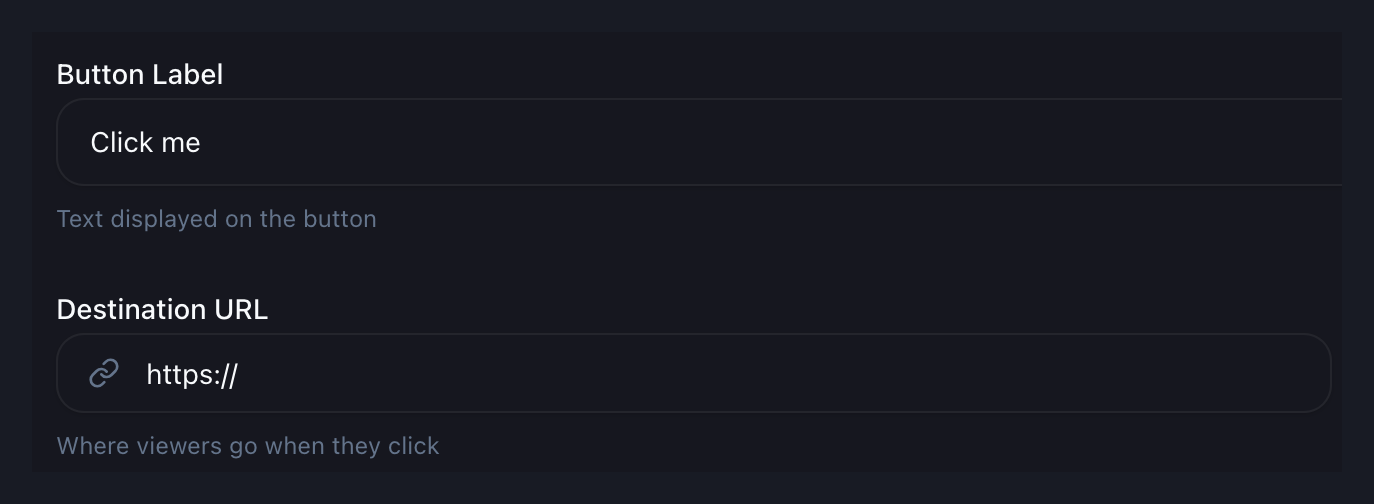
    Keep the viewer-facing label and destination URL distinct in your specification. The label explains the action; the URL determines where the link leads. Use the same distinction when reviewing the configuration.

    Vidzy CTA configuration excerpt showing the label and destination URL fields
    A focused excerpt from Vidzy’s CTA configuration. Original sample values are shown; unrelated controls and account areas are excluded.

    The configuration example uses sample text, “Click me,” and an incomplete URL. These are not recommended campaign copy or a working destination. Replace sample values with the wording and final address from your specification before testing.

    Timing is a separate decision. Choose a moment consistent with the video’s request, then test that configured moment in playback. This implementation check is different from deciding which point in the story should carry the offer.

    Test the experience the viewer will actually encounter

    A configuration screen cannot confirm the full experience. Test the video on its intended page, then follow the action through to the destination. Use a visitor session rather than relying only on an account that already has administrative access.

    1. Check the request against the recording. Confirm that narration and on-screen wording still describe the current offer. A later URL change can leave the video promising something else.
    2. Play through the interaction. Confirm that the action appears as intended and remains understandable beside the video content. Do not assume a saved setting proves the viewing experience.
    3. Activate the actual link. Check the final destination, including any redirects. Confirm that visitors can access the promised next step without an unexplained sign-in or missing page.
    4. Check a smaller screen and keyboard interaction. Inspect legibility, reachability and the ability to identify and use the action. Record problems rather than assuming the player or page meets every accessibility requirement.
    5. Complete the next step safely. Where appropriate, use a clearly identified test submission and coordinate with the person receiving it. Confirm the destination’s response, not merely that the first page loaded.

    These are checks to perform on your chosen setup, not guarantees about browser behavior or features supplied by a particular player. If a check fails, fix or reconsider the path before treating the CTA as ready.

    Verify click records without confusing them with completion

    Vidzy includes CTA click tracking. Before relying on the records in a report, establish the applicable measurement definition and check the expected behavior with a controlled test. Do not assume that a click count represents unique people, a completed registration or a sale.

    Keep the immediate interaction and the destination’s completion evidence separate. If the request is to read a resource, arriving at it may be the relevant next step. If it is to submit an inquiry, the click and the submission answer different questions. Obtain completion evidence from the system responsible for that action; do not assume an automatic connection between systems.

    For the implementation handoff, record the test date, video version, destination and what was observed. This creates a reference for investigating a later failure without turning one test into a performance benchmark.

    Give the CTA an owner after launch

    Recheck the path when an offer closes, a resource moves, a page is redesigned or the video is replaced. Decide who receives those changes and who confirms that the request still makes sense. A working URL can still point to an outdated promise.

    Before preparing your next video CTA, complete the specification for one action and ask someone else to follow it from playback to destination. Have them describe what they expected and what happened. Resolve any mismatch before interpreting campaign results.

  • Video CTA Timing: How to Choose the Right Moment

    Video CTA Timing: How to Choose the Right Moment

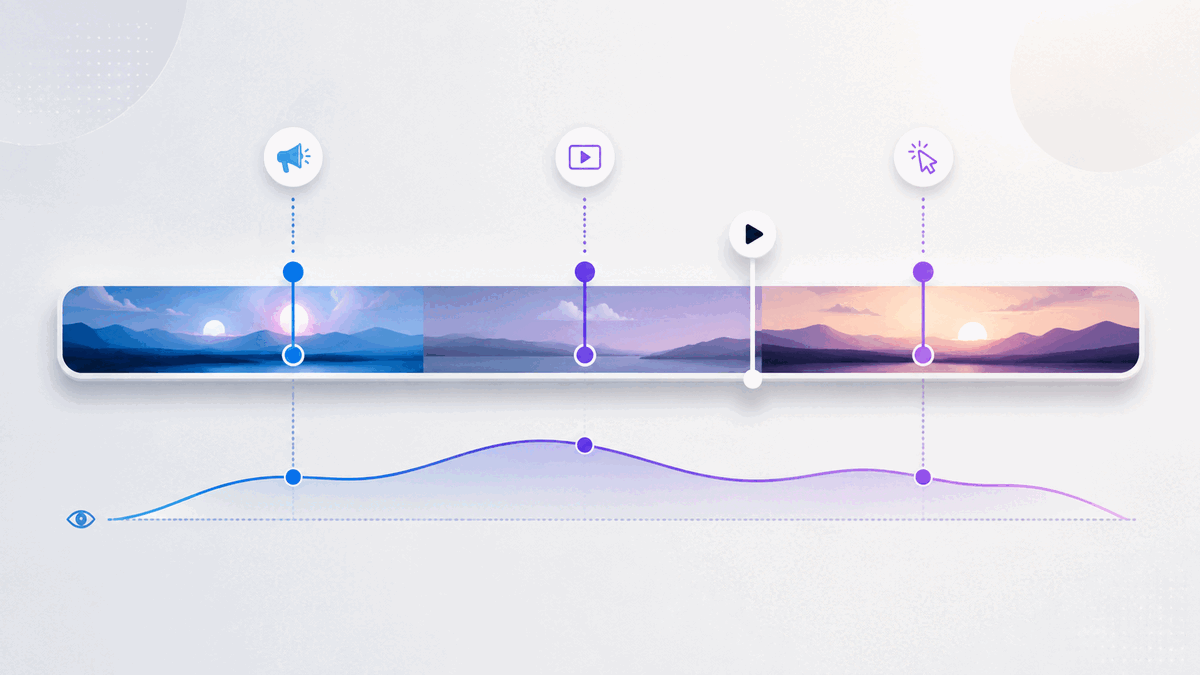
    A video call to action can be clear, relevant, and persuasive yet still underperform because it appears at the wrong moment. Show it before the viewer understands the value and the request feels premature. Wait until the final frame and interested viewers may never see it.

    There is no universal timestamp that solves this problem. The right video CTA timing depends on what you are asking, what the viewer already knows, and when the video earns enough trust to make the next step feel reasonable.

    This guide gives you a practical way to choose that moment without relying on invented benchmarks or guesswork.

    What is the best time to show a video CTA?

    The best time to show a video CTA is the earliest point at which an interested viewer has enough context to understand the offer and enough motivation to take the next step. That point may be near the beginning for a familiar offer, midway through a demonstration after the key benefit becomes clear, or at the end when the full argument matters.

    Use these four questions to find it:

    1. What exact action should the viewer take?
    2. What must the viewer know or believe before that action makes sense?
    3. At what moment does the video provide that context?
    4. What does viewer behavior show after the CTA goes live?

    This turns CTA placement into an editorial decision you can test and refine, rather than a rule based only on video length.

    Start with the action, not the timestamp

    Before choosing when a CTA should appear, define what it should accomplish. “Get more conversions” is too broad. Name one observable next step:

    • View a product page
    • Book a consultation
    • Start a trial
    • Download a resource
    • Register for an event
    • Join an email list

    The size of the request affects its timing. A low-commitment action such as viewing a related resource may need little preparation. A higher-commitment action such as booking a call usually needs more context: who the offer is for, which problem it addresses, and what happens after the click.

    Write the intended action at the top of your video outline. If you cannot express it in one sentence, the CTA is not ready to time.

    Identify the minimum context the viewer needs

    A CTA becomes timely when the viewer has the information needed to evaluate it. That does not always mean watching the entire video. It means reaching the point where the request follows logically from the content.

    For a product demo, that point might come just after the viewer sees the core workflow. For an educational video, it might follow the first useful lesson, when a related template or deeper guide becomes relevant. For a sales video, the CTA may need to wait until the problem, proposed solution, and important objections have been addressed.

    List the minimum context required before the ask:

    • The problem is recognizable.
    • The promised next step is relevant to that problem.
    • The viewer knows what will happen after clicking.
    • The request is proportionate to the value delivered so far.

    The CTA should generally appear after these conditions are met, not after an arbitrary percentage of the runtime.

    Map the moments that matter in the video

    Review the video as a sequence of decisions rather than one continuous block. Mark the moments where the viewer learns something important, sees evidence, understands the mechanism, or receives a complete answer.

    How key video moments can inform CTA timing decisions
    Video moment What changes for the viewer CTA implication
    Problem recognition The viewer recognizes that the subject applies to them. A light next step may be relevant, but a large request can still feel early.
    First useful insight The video has delivered value and established relevance. A resource or low-commitment action may fit here.
    Mechanism or demonstration The viewer understands how the proposed solution works. A product-focused CTA may now have sufficient context.
    Objection resolved A likely reason for hesitation has been addressed. A higher-commitment CTA may become more reasonable.
    Summary or conclusion The complete argument or lesson is clear. A direct next step can close the loop.

    This map gives you candidate CTA moments. Choose the earliest candidate that supports the specific action you defined.

    When early, middle, and end CTAs make sense

    Use an early CTA when intent is already high

    An early CTA can work when viewers arrive with clear intent and the offer needs little explanation. Someone watching a short feature walkthrough from a product page may already know the product and simply need a route to the relevant next step.

    Keep an early CTA proportional to the context available. “See the full example” makes a smaller leap than “Book a strategy call” in the opening seconds.

    Use a mid-video CTA after a meaningful payoff

    A middle placement is useful when the video delivers an important insight or demonstration before its conclusion. The CTA can appear immediately after that payoff, while the next step is relevant to what the viewer just learned.

    Avoid interrupting a sentence, demonstration, or unresolved idea. A natural transition is usually a better trigger than the mathematical midpoint.

    Use an end CTA when the complete argument matters

    An end CTA fits stories, tutorials, and sales messages that depend on a sequence. The viewer receives the full explanation before being asked to act.

    The tradeoff is reach: some viewers will leave before the conclusion. That does not automatically make the placement wrong. If the people who remain are the only viewers with enough context for the offer, the end may still be the most coherent moment.

    Match the CTA type to the commitment level

    Not every prompt inside a video serves the same purpose. A clickable CTA sends the viewer to another destination. A lead gate or email opt-in asks the viewer to exchange information for access, continuity, or an additional resource. These actions create different levels of friction and should not be timed as if they were interchangeable.

    Use a clickable CTA when the natural next step exists elsewhere, such as a product page, booking page, or related guide. Use a lead-capture request when the exchange is explicit and the value of continuing is clear. In either case, the viewer should understand what they receive and what happens next.

    If you present more than one action, give each a distinct role. Repeating the same high-commitment request at every transition can weaken the experience instead of strengthening it.

    Write CTA copy that explains the destination

    Timing cannot rescue an unclear CTA. Labels such as “Click here” or “Learn more” make the viewer infer both the destination and the benefit. Prefer specific language:

    • See the complete workflow
    • Download the campaign checklist
    • Compare the available options
    • Book a product walkthrough

    This is also an accessibility consideration. The W3C’s WCAG 2.2 guidance says a link’s purpose should be understandable from its text alone or from its programmatically determined context. Its guidance for interactive components also calls for names and roles that assistive technology can determine. Review W3C guidance on link purpose and W3C guidance on component names and roles when implementing the interaction.

    As an editorial check, read the CTA label without the surrounding video. If the next step is still understandable, the copy is doing useful work.

    Measure and revise CTA timing responsibly

    Your first placement is a hypothesis. Viewer behavior can help you decide whether to keep it or move it.

    Start with three questions:

    1. Do viewers reach the CTA? Compare its timestamp with watch-time and drop-off patterns.
    2. Do CTA clicks occur? CTA click data shows whether the prompt generates recorded clicks. Interpret it alongside how many viewers appear to reach that part of the video, without treating the comparison as a precise view-to-click rate unless your measurement setup supports it.
    3. Does the destination complete the journey? Evaluate the result on the destination page with the appropriate measurement system rather than treating a click as the final outcome.

    Interpret the sequence carefully. If few viewers reach the CTA, moving it earlier is one possible response, but it is not the only one. The opening may be attracting the wrong audience, the video may take too long to deliver value, or the CTA may depend on information that arrives late. Editing the video can be more useful than moving the button.

    If viewers reach the CTA but rarely click, inspect the offer, label, visual prominence, and surrounding message before blaming timing. If clicks occur but the destination does not produce the intended next step, review the match between the CTA promise and the landing page.

    Change one major element at a time when practical. A simultaneous change to the video, CTA copy, destination, design, and timing may improve results, but it will not tell you which change mattered.

    Common video CTA timing mistakes

    Choosing a percentage instead of a persuasion moment

    Placing every CTA halfway through every video is consistent, but consistency is not the same as relevance. The meaningful payoff could happen much earlier or later.

    Waiting for the end by default

    The conclusion is a logical location, not a mandatory one. If the viewer receives enough context earlier, an earlier opportunity to act may be useful.

    Asking before delivering value

    A prompt that appears before the viewer understands the subject can feel like a toll. Earn the request with relevance, useful information, or a clear preview of what comes next.

    Treating every drop-off as a timing problem

    Drop-off can identify where attention changes, but it does not explain why. Review the content around that moment before drawing a conclusion.

    Optimizing for clicks alone

    A compelling label can earn clicks that the destination cannot satisfy. Judge the CTA as one part of a complete path, from the video’s promise to the page after the click.

    A practical video CTA timing worksheet

    Use this short worksheet before configuring a CTA:

    1. Primary viewer: Who is this video for?
    2. Single next step: What should that viewer do?
    3. Commitment level: Is the request low, medium, or high commitment?
    4. Required context: What must the viewer understand first?
    5. Context-complete timestamp: When has the video supplied it?
    6. Natural transition: Where can the CTA appear without interrupting an idea?
    7. CTA label: Does the text explain the destination or outcome?
    8. Reach check: What do watch-time and drop-off patterns show around that moment?
    9. Action check: What do CTA clicks show among viewers who reach it?
    10. Next revision: Which single major variable will you change if needed?

    Document the reason for the original timestamp. That note prevents future decisions from becoming a cycle of unexplained adjustments.

    How Vidzy supports a CTA-timing workflow

    Vidzy is an embeddable, conversion-focused video player with timed calls to action and clickable CTA links. Its video analytics include watch time and drop-off data, and it can track CTA clicks. Vidzy also supports timed email opt-ins and lead gates when lead capture is the appropriate next step.

    Those capabilities provide the placement and observation tools for this workflow. They do not replace the editorial decision. You still need to define the right action, identify when the video earns it, and evaluate the complete journey after the click.

    Frequently asked questions about video CTA timing

    Should a video CTA appear at the beginning or the end?

    It depends on how much context the action requires. Use an early CTA when intent is already high and the next step is easy to understand. Use an end CTA when the viewer needs the complete lesson, story, or argument before acting.

    Can a CTA appear in the middle of a video?

    Yes. A mid-video CTA can fit immediately after a useful insight, demonstration, or resolved objection. Choose a natural transition instead of interrupting an unfinished idea.

    Should I move a CTA earlier when viewers drop off before it?

    Consider it, but first inspect why viewers may be leaving. The content may delay its main value, attract the wrong audience, or lose clarity. Moving the CTA earlier helps only if viewers have enough context to respond to it.

    How do I know whether CTA timing is working?

    Review whether viewers reach the timestamp, whether those viewers click, and whether the destination fulfills the promised next step. Watch time, drop-off patterns, and CTA clicks answer different parts of that sequence.

    Choose the moment the message earns

    Effective video CTA timing is not about finding a magic percentage. It is about matching the request to the viewer’s readiness. Define one next step, identify the context it requires, place the CTA after the video provides that context, and use behavioral data to refine the decision.

    That approach gives the CTA a job, the timestamp a reason, and your next revision a useful starting point.