
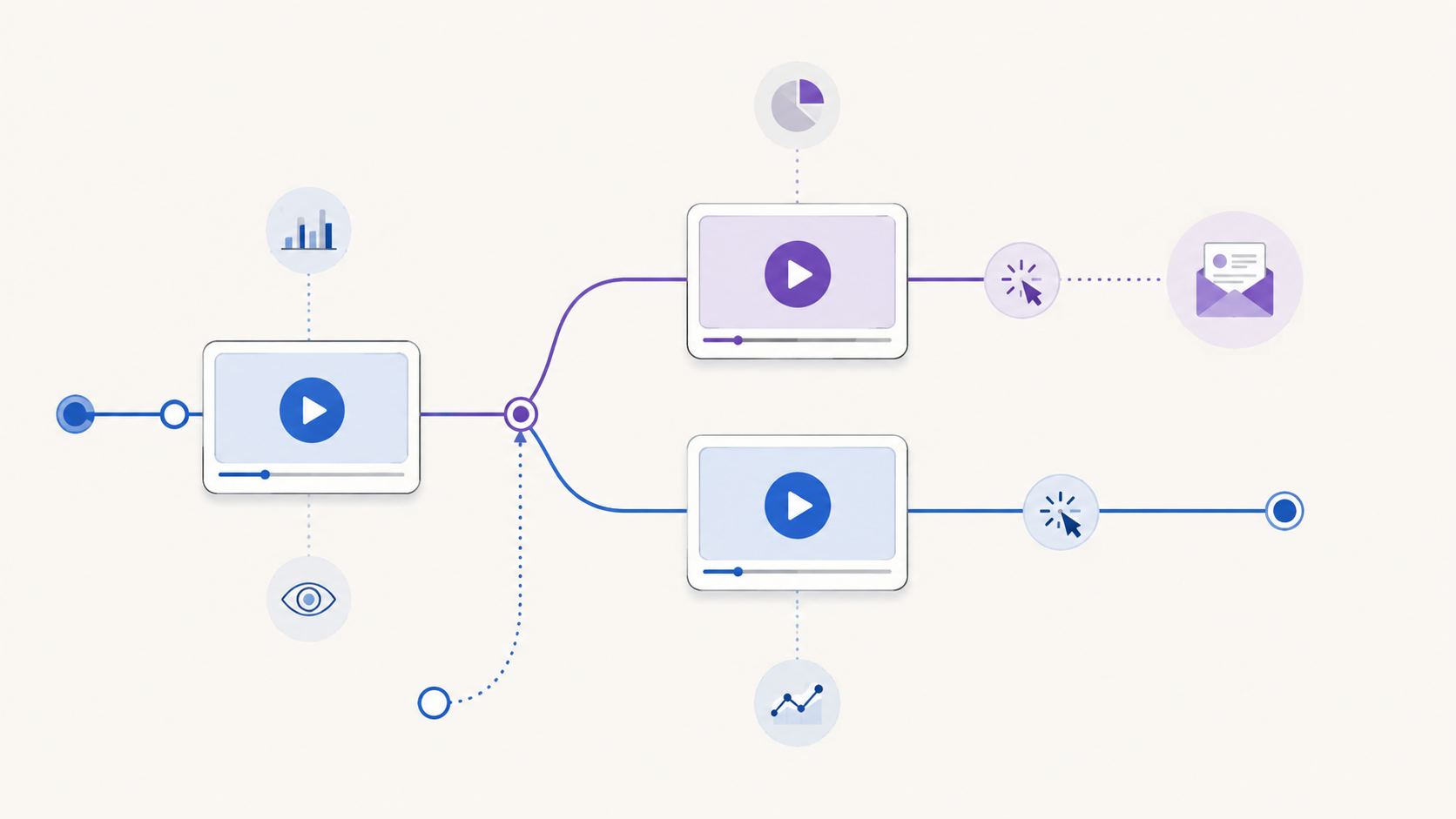
A collection of marketing videos is not automatically a video funnel. The funnel begins when each video serves a defined audience need and leads to a deliberate next decision.
Without that structure, every video tends to do too much. An introductory video tries to explain the product, answer objections, collect an email, and close the sale. Its call to action points wherever the team needs traffic that week. The dashboard reports activity, but nobody can say which part of the journey the video was meant to improve.
A practical video marketing funnel fixes the planning problem first. Instead of starting with a list of videos to produce, start with the decisions a potential customer must make. Then give each video one job, one next step, and one evidence plan.
What is a video marketing funnel?
A video marketing funnel is a connected journey in which videos help people move from one level of understanding or intent to another. A video can introduce a problem, explain an approach, demonstrate a solution, address a concern, or help a ready buyer take action. Its place in the funnel depends on the decision it supports, not simply its format or length.
The word “funnel” can suggest that every person enters at the top and follows the same narrow path. Real journeys are less orderly. Someone may first encounter a detailed product demonstration because a colleague shared it. Another person may watch an educational video, leave, and return later through a different page.
That is why the useful unit of planning is not a rigid stage label. It is a four-part connection:
- Audience state: What does this viewer understand, need, or question now?
- Video job: What useful change should the video make in that state?
- Next step: What is the most proportionate action after that change?
- Evidence: What behavior would help you evaluate whether the connection worked?
If you cannot describe all four parts, the video may still be useful, but its role in the funnel is not yet clear.
Build backward from the final decision
Begin with the final decision your journey is designed to support. It might be starting a trial, requesting a consultation, choosing a plan, registering for an event, or making a purchase. Name the real decision rather than using a vague goal such as “drive engagement.”
Then work backward:
- What must a person understand or trust immediately before making that decision?
- What questions would prevent that understanding?
- What earlier problem or opportunity would make those questions relevant?
- Where can video explain, demonstrate, or reassure more effectively than surrounding copy alone?
This exercise prevents the common mistake of producing videos first and inventing a funnel around them afterward. It may also show that some steps do not need video. A short comparison table, calculator, product page, or direct conversation may be the better tool.
Map stages to reader needs, not content clichés
Awareness, consideration, and decision are useful labels, but they should describe changes in the viewer’s situation. Do not assume that a particular format always belongs to a particular stage.
| Journey stage | Viewer’s immediate need | Possible video job | Proportionate next step | Evidence to review |
|---|---|---|---|---|
| Problem recognition | Understand a problem and decide whether it matters | Clarify the cost, mechanism, or missed opportunity | Explore a deeper guide or relevant example | Playback starts, viewing patterns, and movement to the next resource |
| Approach evaluation | Compare possible ways to solve the problem | Explain criteria, tradeoffs, and suitable contexts | Review an implementation guide, demonstration, or comparison | Attention around key criteria and use of the offered next step |
| Solution evaluation | See whether a specific solution fits | Demonstrate the relevant workflow or answer a material objection | Inspect the product, request more detail, or begin evaluation | Viewing of decisive sections and measurable action around the video |
| Decision | Confirm fit and understand the immediate commitment | Resolve the remaining question without reopening the whole pitch | Take the defined commercial or operational action | Completed next steps and downstream outcomes from the wider journey |
The examples are prompts, not universal rules. A demonstration can create initial awareness when the audience already knows the problem. An educational walkthrough can support a late-stage decision when the final concern is technical understanding. Place the video according to the viewer’s question.
Give each video one primary job
A video may produce several useful effects, but it needs one primary job for planning and evaluation. Choose a verb that describes the intended change:
- Recognize a costly problem
- Understand a method
- Compare two approaches
- See a workflow in context
- Resolve a specific objection
- Prepare for a sales or onboarding conversation
“Engage the audience” is too broad. “Help a landing-page marketer understand why player choice affects the on-page viewing experience” is specific enough to shape the script, placement, CTA, and evidence plan.
One primary job also makes editing easier. If a section does not help produce the intended change, move it to another asset or remove it. That discipline usually creates a clearer path than asking one long video to serve every stage.
Choose the next step after the video earns it
The next step should match the amount of clarity and intent the video has created. An early educational video may reasonably offer another guide. A detailed evaluation video may support a product review or conversation. A request for contact information makes sense only when the viewer can understand the value of the exchange.
For each video, write the CTA as a continuation of the viewer’s task:
- “See the full comparison” continues an evaluation.
- “Watch the setup walkthrough” continues implementation research.
- “Get the worksheet” continues a planning exercise.
- “Review the product” continues solution evaluation.
Avoid making every next step a sale. If the video has only established the problem, an immediate high-commitment request may skip the questions the viewer still needs answered.
Design branches instead of forcing one sequence
Your funnel should accommodate people who enter with different levels of knowledge. A first-time visitor may need context. A referral may already understand the category and want proof of fit. A returning prospect may need only one answer.
Map at least three paths:
- Primary path: the most common sequence you expect.
- Fast path: a route for viewers who already have enough context.
- Recovery path: a useful alternative for someone who is not ready for the primary CTA.
This is not an argument for filling every video with buttons. Too many competing actions weaken the decision. Keep one primary action, then use the surrounding page or follow-up experience for reasonable alternatives.
Measurement tools also distinguish between open and closed funnel models. Google Analytics, for example, documents that its Funnel exploration can represent steps in a user journey and can be configured so people either enter at any step or must enter at the first step. Those are GA4-specific reporting definitions, but the distinction is a useful planning reminder: decide whether your journey genuinely requires a fixed entry point before evaluating its results. See the official GA4 Funnel exploration documentation for its precise behavior.
Define the evidence before launch
Do not wait for a dashboard to decide what success means. Write the evidence plan beside the funnel map before publishing each step.
Use four layers:
- Opportunity: Did the intended audience encounter the page and have a reasonable chance to play the video?
- Attention: Did viewing behavior suggest that people reached the section required for the video’s job?
- Action: Did viewers use the defined CTA, opt-in, or other measurable next step?
- Outcome: Did the wider journey produce the business or operational result you actually care about?
These layers should not be collapsed into one verdict. Watch time does not prove understanding. A click does not prove that the destination delivered. A completed outcome does not, by itself, prove that the video caused it.
Record metric definitions, date ranges, traffic context, video versions, and known gaps before comparing results. If the system cannot measure a transition reliably, name that limitation instead of filling it with an assumed rate.
How Vidzy can support an embedded-video step
Vidzy is an embeddable, conversion-focused video player. It supports timed, clickable calls to action that can send viewers to a chosen destination. It also supports timed email opt-ins and lead gates when lead capture is an appropriate part of the journey.
For evaluation, Vidzy provides video analytics, including watch-time tracking, drop-off analysis, CTA click tracking, opt-in tracking, and replay tracking. These capabilities can supply evidence around an embedded-video step, but they do not design the funnel, diagnose viewer motivation, or prove that the video caused a downstream outcome.
Start with the journey map. Then evaluate which player capabilities are required at each embedded-video step. The tool should implement a deliberate path, not substitute for one.
Common video-funnel mistakes
- Starting with formats: “We need a webinar and three short videos” is a production list, not a journey.
- Giving every video the same CTA: One destination rarely matches every level of viewer intent.
- Making each step a sales pitch: Early-stage viewers often need clarity before commitment.
- Assuming a linear path: Referrals, returning visitors, and experienced buyers may enter later.
- Measuring attention as an outcome: Viewing evidence and business results answer different questions.
- Changing the whole funnel at once: Multiple simultaneous changes make the useful lesson harder to identify.
- Ignoring the destination: A clear video CTA cannot repair a page that breaks the promise or adds unnecessary friction.
Use this video-funnel mapping worksheet
Run this exercise with one customer journey before planning new production:
- Write the final decision in one sentence.
- List the questions a person must resolve immediately before that decision.
- Work backward until you reach the earliest problem or opportunity.
- Mark the places where video is the clearest medium.
- Give each selected video one audience state and one primary job.
- Choose one proportionate next step for each video.
- Add a fast path and a recovery path where they are genuinely useful.
- Define opportunity, attention, action, and outcome evidence.
- Confirm what your tools actually measure before setting expectations.
- Publish the smallest coherent path, observe it, and revise one meaningful connection at a time.
The result should fit on one page. If the map requires a complicated diagram to explain who should watch what next, simplify the journey before producing more videos.
Video marketing funnel FAQs
How many videos should a video marketing funnel have?
There is no required number. Use enough videos to answer the material questions in the journey where video is genuinely the right medium. A short path with two focused videos can be more coherent than a large library with unclear transitions.
Can one video serve more than one funnel stage?
Yes, especially when audiences enter with different levels of knowledge. Give the video one primary job, then check whether its placement, introduction, and next step still make sense in each context. Do not assume the same CTA suits every placement.
What should you measure in a video funnel?
Measure the opportunity to view, attention around the video’s intended job, use of the defined next action, and the wider journey’s outcome. Keep those layers separate and document how each measure is calculated before interpreting changes.
Map one journey before adding another video. Once the audience state, video job, next step, and evidence are clear, review Vidzy’s approved player capabilities and decide whether they fit the embedded steps you designed.