
Category: Lead Capture

  • Video Lead Form Best Practices: Choose Fields With Purpose

    Video Lead Form Best Practices: Choose Fields With Purpose

    Your video offers a worksheet, but the form asks for a phone number, company details and a project description. Before sending viewers to it, ask what each answer will actually change. A question that serves no immediate purpose does not become useful just because the form can display it.

    These video lead form best practices focus on that decision: what to ask, what to leave optional and what to save for a later conversation. They assume you have already decided that a contact request belongs in the viewing experience. Gate timing and lead-export operations are separate tasks.

    Video lead form best practices: decide what belongs

    Write the viewer’s request in one sentence, then assess each proposed question against it. “Send me the worksheet” calls for different information from “Call me about this service.” Do not start by copying every column from your team’s contact database into the form.

    The GOV.UK Design System’s question-page guidance recommends knowing why each question is asked and requesting only information that is needed. That principle is useful here without adopting an entire government-service form pattern for a video player.

    Give every proposed field one of four decisions:

    • Needed now: without the answer, the team cannot fulfill the specific request.
    • Optional context: the answer has a defined use, but its absence does not prevent fulfillment.
    • Ask later: the answer belongs to a different decision or a later conversation.
    • Remove: nobody can explain how the answer will be used.

    This is an editorial planning exercise, not a claim that a player automatically sorts questions or moves them between stages.

    Give email, name and phone different jobs

    Email: when the offer is to send a resource by email, an address has a direct purpose. Keep the surrounding request specific about the resource. Do not describe a request for one document as if it were a request for every future message your team might send.

    Name: decide whether a name is necessary to carry out the request or merely helpful for addressing a response. If the resource can be provided without it, there needs to be a separate reason to make it a condition of receiving the resource.

    Phone: connect the number to a promised call or another explicit task. If the offer does not mention a call and nobody is responsible for making one, a phone question deserves reconsideration. Contact details should not introduce a different offer halfway through the form.

    For an additional question, write down the decision its answer would affect. “Which part of the demonstration would you like to discuss?” can help someone prepare a requested conversation. A broad “Tell us everything about your business” asks for much more work without defining the needed answer.

    Compare three offers before choosing the questions

    The following are hypothetical design exercises, not customer results or ready-made Vidzy form templates. They illustrate how the offer changes the information needed.

    A worksheet demonstrated in the video

    The immediate task is to provide the worksheet by email. Begin with the address needed for that delivery. A phone number or project budget does not help send the file. If the team wants to discuss a project later, make that a separate invitation rather than a hidden condition of getting the worksheet.

    A requested callback about a service

    A phone number now has a clear role because the viewer is requesting a call. A name may help the person making that call. Review any extra contact fields against the actual process: if email is also required, explain its purpose rather than treating it as automatically necessary. Choose a form implementation that supports the requirements you have verified.

    A discussion following a technical demonstration

    An email address and one focused context question may give the team enough information to arrange a useful discussion. Ask about the part the viewer wants to explore, rather than demanding a complete specification. Leave detailed discovery for the conversation if those answers are not needed to arrange it.

    Separate gate choice from field choice

    Deciding whether viewers must submit an email to continue is different from deciding which additional information belongs in the request. Do not assume that an optional gate makes every field optional, or that a required gate makes every available field necessary.

    Vidzy supports timed email lead capture, name, phone and a custom field. Its lead gates can require email to continue or allow viewers to skip an optional request. These capabilities provide options for the lead request; they do not establish every field’s requirement rules, validation behavior or suitability for a particular form design.
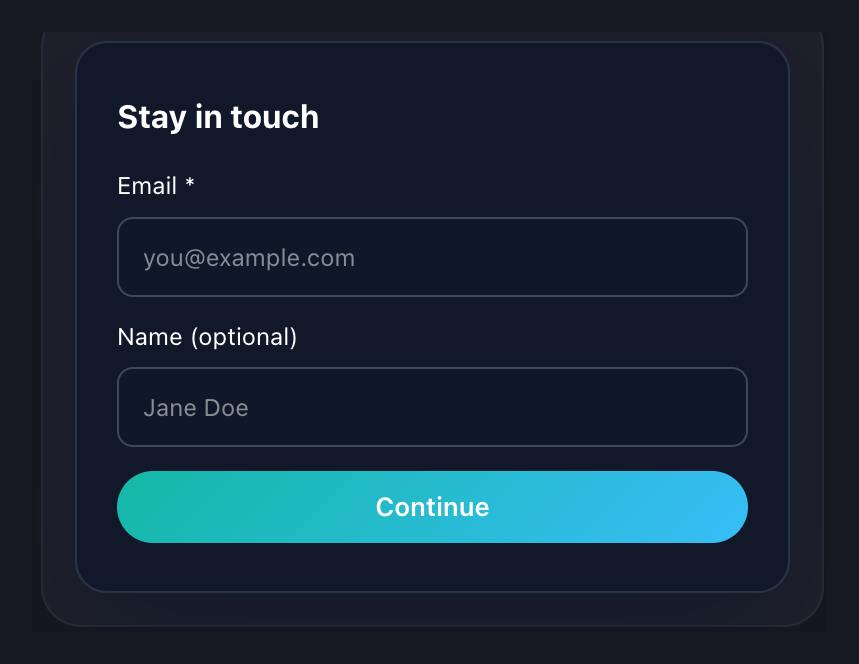
    Vidzy lead-form preview showing an email field and an optional name field
    One actual Vidzy form preview, cropped to exclude account details and unrelated controls. The optional-name label is visible; example values and demo wording are unchanged. This is not a recommended campaign message or a demonstration of every field configuration.

    Use the preview to notice the distinction between the information being requested and the wording around it. Then check your actual viewer-facing form against the field decisions you wrote down. Do not infer behavior from a preview alone.

    Make each question understandable without guessing

    The W3C tutorial on labeling controls explains how labels identify form controls. Use that guidance when evaluating the form implementation rather than relying on example text inside an input; a screenshot alone cannot establish programmatic labeling or accessibility compliance.

    Review the wording at the point where the viewer has to answer. Would someone know what information belongs in the field, why it is requested and whether they may leave it empty? Where an expected format needs explanation, make that instruction available rather than relying on a failed submission to teach it.

    Read the request without the video’s narration. A person who paused playback or missed a sentence should still be able to understand the form. If an answer needs a lengthy explanation, reconsider whether that question belongs in this short interaction.

    Use a field-review worksheet before configuration

    Complete one row for each proposed question in your own planning document. These worksheet columns are not claimed Vidzy fields or software features.

    Questions to resolve before adding a lead-form field
    Worksheet itemWhat to write
    Requested informationThe exact question the viewer would see.
    Immediate useThe specific task or decision that needs the answer.
    Missing-answer consequenceWhat genuinely cannot happen if the answer is absent.
    DecisionNeeded now, optional context, ask later or remove.
    Viewer explanationA short, honest reason for asking, where clarification is needed.

    Have the person responsible for responding review the worksheet. If they cannot name a use for an answer, revisit the question before adding it. If an answer is needed, confirm that the form implementation can collect it in the intended way without assuming unverified behavior.

    Finish by checking the actual form on the page, including its labels, optional-field behavior and what happens after submission. The useful outcome is a request the viewer can understand and your team can act on, not the largest possible contact record.
  • Video Lead Capture with Vidzy: From Opt-In to Follow-Up

    Video Lead Capture with Vidzy: From Opt-In to Follow-Up

    A viewer submits an email while watching your video. Who checks that it was captured, what does the viewer receive next, and who handles that next step? A lead-capture plan should answer all three questions before the campaign starts.

    Vidzy supports timed email opt-ins, required or optional lead gates, opt-in tracking and CSV export. Its Leads dashboard lets you review, search and filter captured leads. Those capabilities give you a way to collect and review contact information around the viewing experience. Your team still needs to connect that action with the offer you made.

    This guide focuses on that practical workflow: define the handoff, test the capture path, review the exported information and deliver the promised next step. It assumes you have already decided that email capture fits the video.

    What Vidzy contributes to video lead capture

    As an embeddable, conversion-focused video player, Vidzy brings lead capture into the video experience. These capabilities matter here:

    • Timed email opt-ins: an email-capture mechanism tied to the viewing timeline.
    • Lead gates: require email to continue or let viewers skip an optional request.
    • Lead-form fields: support for name, phone and a custom field alongside email capture.
    • The Leads dashboard: view captured leads, search for a contact and narrow the list with filters.
    • Opt-in tracking: a way to track opt-in activity.
    • CSV export: export filtered leads or all records.

    Keep the product capability and the team’s process distinct. Exporting an email address does not, by itself, fulfill a resource request or answer a prospect’s question. Plan those downstream tasks separately instead of assuming that capture completes the job.

    Write the capture-to-follow-up plan first

    Start with a short campaign note outside the player. Record the video, its audience, the offer, the next action and the person responsible for that action. Be specific enough that another teammate could take over without reconstructing the campaign.

    For a hypothetical workshop on planning a product launch, the note might read:

    • Video: a workshop showing how to organize a launch checklist.
    • Offer: receive the editable checklist used in the workshop.
    • Next action: the campaign owner sends the requested checklist through the team’s separately managed delivery process.
    • Completion check: verify that the resource is accessible and matches the workshop example.

    This is an illustrative campaign plan, not a customer story or a description of automatic delivery in Vidzy. Its purpose is to make the work after capture explicit.

    Avoid a vague task such as “follow up with leads.” It leaves the recipient, message and owner undefined. “Send the requested checklist” is a task someone can complete and check.

    Configure the lead request around that plan

    Vidzy’s lead forms support name, phone and a custom field. Decide what information the immediate handoff needs before using those options. For the workshop checklist example, establish whether anything beyond an email is needed to fulfill the request; don’t collect extra details simply because a field is available.

    Vidzy lead-form preview showing an email field and an optional name field
    A crop of the form preview in Vidzy’s lead-capture configuration screen. This example shows email and an optional name field; the sample copy is not a recommended campaign message.

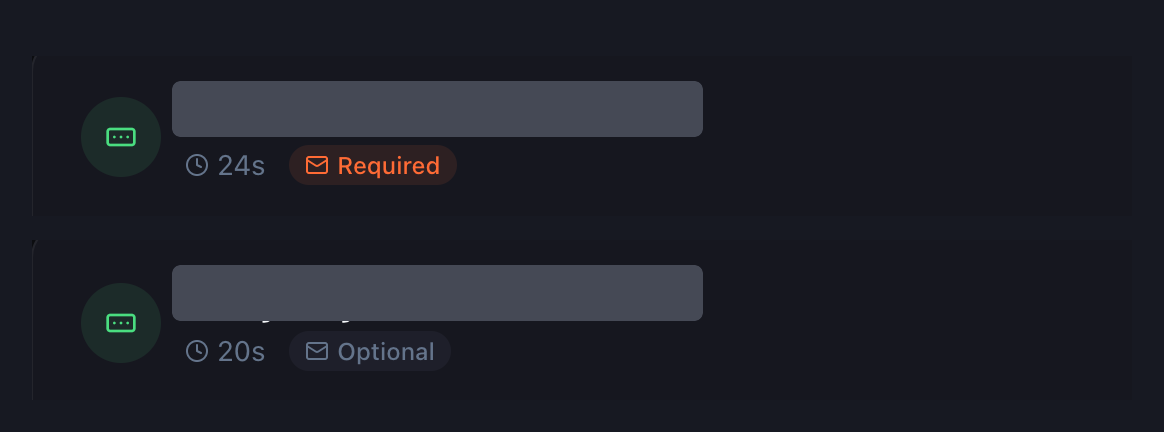
    Check the gate mode as well as the requested information. Vidzy supports required email gates and optional requests that viewers can skip. Choose the intended mode deliberately, then confirm it in the viewer-facing test.

    Required and Optional status labels in two Vidzy lead-gate list excerpts
    Two excerpts from the lead-gate list, with gate names redacted. The timestamps are settings in these examples, not recommended timings or performance benchmarks.

    Test one complete capture path

    Before sending campaign traffic, use an address controlled by your team to test the configured experience. Treat the following as checks to perform, not promises that every setup behaves identically:

    1. Open the actual page. Review the video and surrounding offer together, rather than checking only the configuration screen.
    2. Reach the email request. Confirm that the observed experience matches what you intended to show.
    3. Make a test submission. Note what happens next and whether the viewer receives a clear indication of the result.
    4. Check capture and export. Find the test email in Leads, then verify it in a CSV export. Inspect the actual file rather than assuming which columns it includes.
    5. Complete the handoff. Have the responsible teammate carry out the promised next step using the team’s chosen process.

    If something fails, record the page, video and test conditions so the issue can be investigated. A successful-looking form screen is not a substitute for checking the captured address and the promised follow-up.

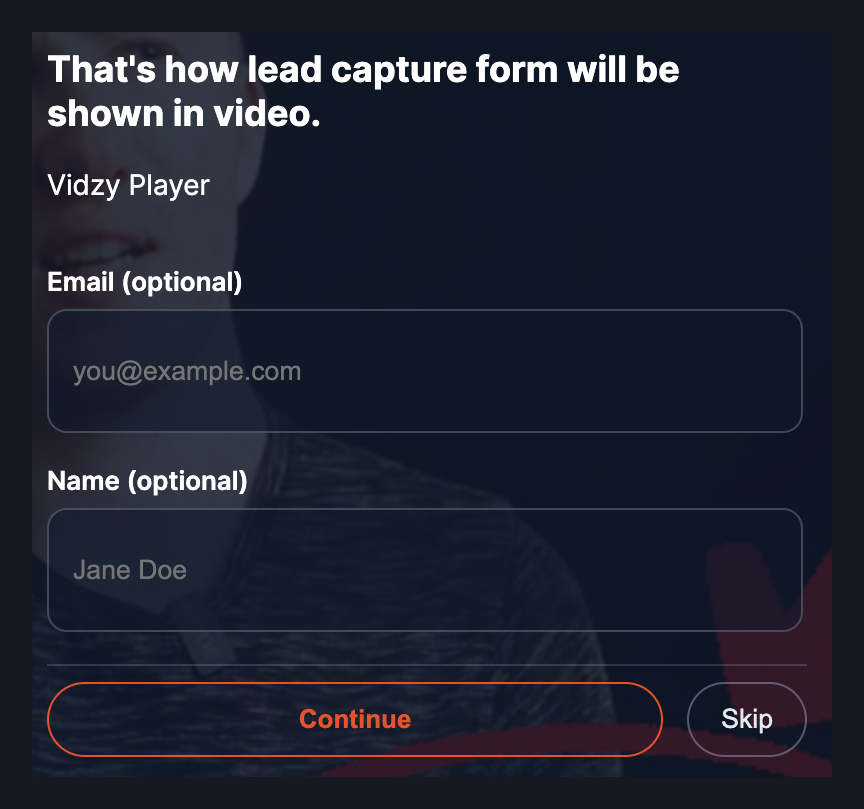
    Optional Vidzy email and name request over a video, with Continue and Skip buttons
    An actual viewer-facing optional form, cropped from the supplied recording screenshot. The underlying video and demo wording are unchanged. This shows one rendered example, not automatic detection of a peak-interest moment.

    Find the relevant leads and choose an export

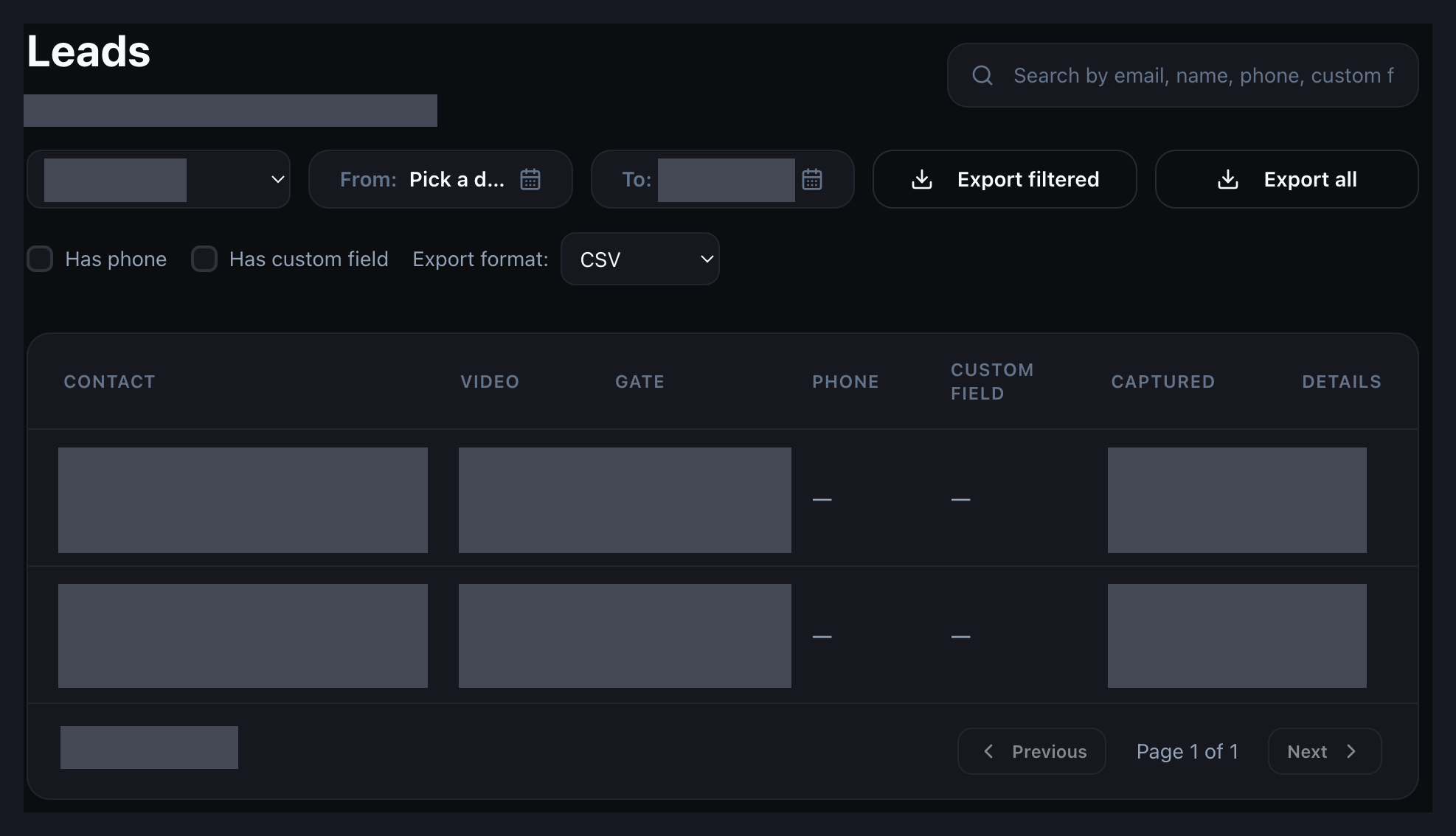
    In the Leads dashboard, search by email, name, phone or custom field. You can also filter by video and date, or by the presence of a phone or custom-field value. Start with the campaign you are reviewing, then narrow the list to the records needed for the handoff.

    Vidzy Leads dashboard with search, filters and CSV export controls; contact data is redacted
    The Leads dashboard, cropped to its working area. Contact details, record values and selected private values are redacted; unrelated controls are omitted. No lead results are claimed from the sample records.

    Use Export filtered when the current selection is the set your team needs. Use Export all when you intend to review the complete set. Check the CSV before handing it over, especially when a teammate will work from the file without seeing the original dashboard filters.

    Review exported emails before handing them over

    Vidzy’s captured-email export is the starting point for this check. The review process below is work for your team; it does not describe built-in cleansing, qualification or lead-management automation.

    Keep the original export intact while reviewing a working copy. Identify your own test submissions, check for repeated addresses and decide how the team will handle them. A repeated address might belong to a person who made more than one request, so do not automatically discard the context of a later request.

    Attach the campaign note to the handoff. Where the source information does not establish which offer a person requested, investigate rather than guessing. Do not manufacture missing video associations, timestamps or contact details.

    Before contacting anyone, have the responsible team review the stated purpose and applicable communication requirements. Keep access to exported files limited to the people who need them, and follow your organization’s data-handling policies.

    Keep capture, fulfillment and qualification separate

    Use different questions for different responsibilities:

    • Capture: Was the submitted email recorded and recoverable?
    • Fulfillment: Did the viewer receive the resource or response they requested?
    • Qualification: Is there additional evidence that this person is a fit for the next business conversation?

    Vidzy provides opt-in tracking, but a recorded opt-in should not be treated as proof of sales readiness. Nor should a tracking count be assumed to represent unique people without checking its definition. Keep the team’s fulfillment and qualification records separate from the capture signal.

    In the workshop example, sending the checklist completes the immediate promise. A later request to discuss a launch project is a different action. Recording those separately makes it easier to see which work has actually happened.

    Use a simple handoff worksheet

    Keep this worksheet in your team’s existing working document. These are suggested process fields, not fields claimed to exist in Vidzy.

    Responsibilities to define for one video lead-capture campaign
    Item What to record
    Campaign context The video, page and offer the team is working with.
    Capture test Who tested the experience, when, and whether the test email was recovered.
    Export review Who reviewed the working copy and how test or repeated submissions were handled.
    Next-step owner The person responsible for fulfilling the viewer’s request.
    Completion evidence What confirms that the promised resource or response was provided.

    Start with one video and one clear offer. Explore Vidzy for timed email opt-ins, lead gates, opt-in tracking and captured-email export, then test the handoff your team will perform after capture. The useful result is a process someone can follow, not simply a growing list of addresses.