
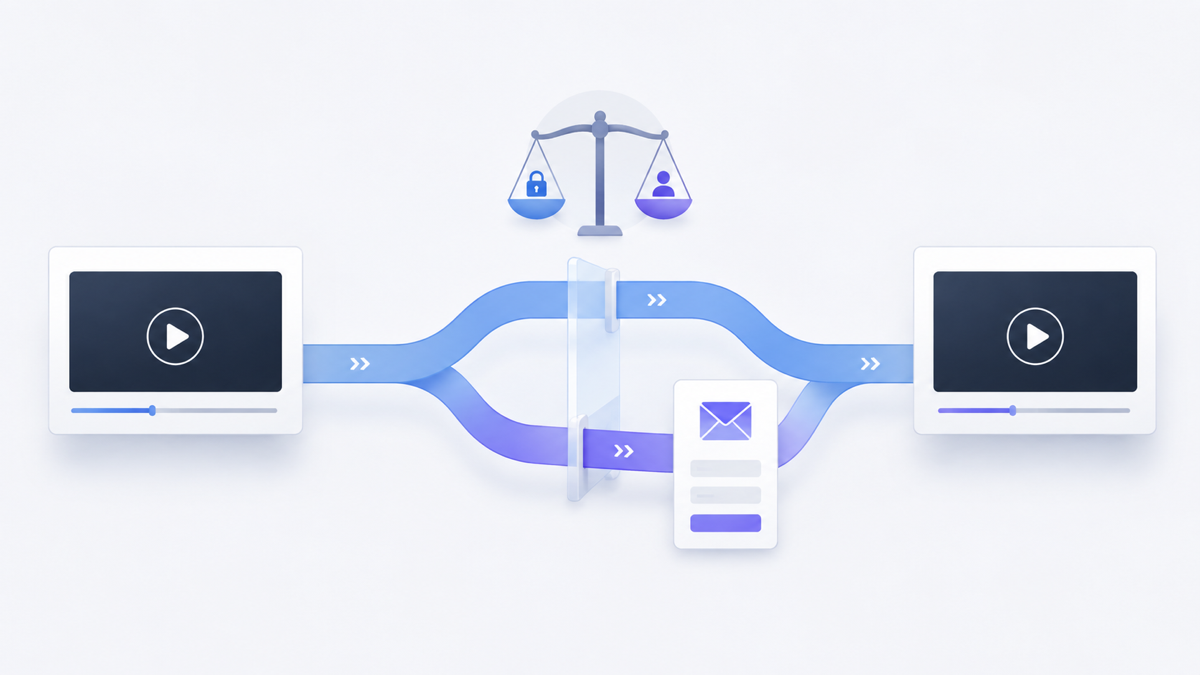
A gated video asks a viewer to complete an action—often entering an email address—before they can start or continue watching. That creates a clear exchange: the viewer gives you information, and you provide access to content they expect to be worth the interruption.
The form is the easy part. The harder decision is whether the video earns the right to ask.
Gate too early or without a clear promise, and interested viewers may leave before they understand the value. Leave every video open, and you may miss a useful opportunity to identify people who want a deeper resource. The right choice depends on the video’s job, the audience’s existing intent, and what happens after someone submits.
What is gated video?
Gated video is video content whose access is connected to a viewer action. In a marketing context, that action is commonly an email submission. The request may appear before playback, after a preview, or at another point in the viewing experience.
A gate is different from a normal video call to action. A CTA offers a next step, such as visiting a page, while the viewer can continue watching. A gate makes access to some or all of the video conditional on the requested action. That difference changes the viewer’s decision and deserves its own strategy.
Should you gate the video or leave it open?
Gate a video when the content offers specific value that the intended viewer can understand before submitting, the email request is proportionate to that value, and your team has a useful follow-up plan. Leave it open when reach, trust, education, or easy product understanding matters more than identifying each viewer.
Signals that favor an open or gated video experience
| Decision signal | Open access is more suitable | A gate may be suitable |
|---|---|---|
| Primary goal | Reach, education, product understanding, or easy sharing | Access to a focused resource and an intentional follow-up |
| Viewer context | The audience is early in its research or unfamiliar with your value | The audience already understands the problem and wants deeper help |
| Content value | The video explains information readily available elsewhere | The video provides a distinctive workshop, training session, demonstration, or resource |
| Follow-up | No relevant email journey or next resource is ready | The viewer can receive a clear, relevant continuation |
| Cost of friction | Losing anonymous viewers would undermine the video’s main purpose | The value of identifying interested viewers justifies a deliberate access step |
This is not a scoring formula. A webinar replay may be a strong gated asset for one campaign and an open educational resource for another. Start with the job the video performs in that particular journey.
Use four tests before adding an email gate
1. Can the viewer understand the promise?
Before asking for information, explain what the viewer will get. A title such as “Product Workshop” is vague. A more useful promise identifies the audience, the problem, and the expected takeaway without exaggerating the result.
The surrounding page should answer practical questions: What does the video cover? Who is it for? How long or detailed is the experience? What becomes available after submission? If the viewer cannot assess the offer, the form asks for trust before giving them enough evidence.
2. Is the value distinctive enough?
Basic definitions and short awareness videos are usually easier to leave open. They help people discover your point of view and decide whether deeper material is relevant. A gate becomes easier to justify when the content provides substantial, specific help: a detailed workshop, original analysis, a useful template demonstrated in context, or training that solves a defined problem.
Do not confuse production cost with viewer value. An expensive video can still answer a common question, while a simple screen recording can contain exactly the process a specialist needs.
3. What does the interruption cost?
Every gate creates another decision. Before playback, the viewer must decide based on the page’s promise. Mid-video, they must decide whether the value already received makes the remaining content worth the exchange. Near the end, the request reaches fewer people but can follow a fuller demonstration of expertise.
Consider what you give up if someone declines. If the video’s main purpose is to explain your product to uncertain visitors, blocking that explanation may work against the page. If the video is a deeper resource promoted to an audience that already requested the topic, the trade can be more coherent.
4. Is there a responsible next step?
A form submission should begin a relevant experience, not merely add a row to a list. Decide what the viewer receives, which message follows, who is responsible for the data, and how the person can understand what they are signing up for.
If your team has no clear use for the email beyond collecting it, leave the video open until the follow-up is ready. More submissions are not automatically more useful leads.
Where should an email request appear?
Placement determines how much evidence the viewer receives before the request and how much content remains afterward. Choose it from the value sequence, not from a universal timestamp.
Before playback
A pre-video gate asks for the highest level of trust because the viewer has not yet experienced the content. It fits best when the surrounding page, source of the visit, speaker, agenda, or known resource already makes the value concrete.
It is a weaker fit for a short introduction, a public product explanation, or a video intended to build initial trust. In those cases, the gate can block the very evidence that would make the request reasonable.
After a useful preview
A gate placed after an open section lets the video demonstrate relevance first. The preview should deliver real value, establish what comes next, and stop at a natural boundary. It should not feel like an arbitrary interruption halfway through a sentence or demonstration.
This approach can suit a longer workshop or lesson with a clear transition from overview to detailed application. Avoid stretching the opening merely to delay the form; the preview still needs to respect the viewer’s time.
At or near the end
An end-of-video email request leaves the main content open and invites interested viewers into a related next step. Strictly speaking, it may function more like lead capture than an access gate because the viewer has already received the video.
Use it when the follow-up resource is the exchange: a worksheet, another lesson, updates on the topic, or a relevant conversation. The request should explain that next value rather than implying the viewer must submit to finish content they have effectively completed.
Which videos are reasonable candidates for gating?
Video type alone does not decide the answer, but it helps expose the likely tradeoff.
- On-demand workshops and detailed training: Potentially strong candidates when the agenda and practical outcome are clear.
- Webinar replays: Consider the audience source and whether the replay is a campaign asset or an open educational resource.
- Research presentations: A gate may fit when the material is distinctive and the viewer understands what evidence is included.
- Product demonstrations: Be cautious. If buyers need the demonstration to understand the product, open access may support their decision better.
- Short explainers and awareness videos: Usually weak candidates because the request can outweigh the amount of value offered.
- Customer stories: Open access often makes the proof easier to encounter and share; add a separate next step if appropriate.
The strongest question is: “Would the intended viewer reasonably choose this exchange with the information available before the form?”
Design the email request for clarity and accessibility
Keep the form proportionate to the immediate purpose. The W3C Web Accessibility Initiative’s forms guidance recommends asking users only for information required to complete the process and providing labels that identify form controls. Its form-instructions guidance also recommends explaining required and optional inputs, expected formats, and other relevant instructions.
Apply those principles to the complete viewing experience:
- Use a visible, descriptive label for the email field.
- State which fields are required without relying on color alone.
- Explain what submitting unlocks and what communication follows.
- Keep essential instructions visible rather than relying only on temporary hint text inside the field.
- Test keyboard navigation, focus behavior, validation messages, and playback continuation.
- Review the experience on the devices and page layouts your audience actually uses.
Accessibility and privacy responsibilities extend beyond the player. Review the surrounding page, data handling, consent language, and follow-up process under the requirements that apply to your organization and audience.
Measure the decision, not just the form
A submission count tells you how many recorded submissions occurred under the measurement system’s rules. It does not tell you how many people would have watched without the gate, whether the addresses are useful, or whether the follow-up served the viewer.
Evaluate the gate across the whole path:
- Opportunity: How many relevant visitors reached the video experience?
- Gate behavior: How many submitted, declined, or left at the request?
- Viewing behavior: Did people who submitted continue into the promised content?
- Follow-up: Did the next message or resource match the promise?
- Outcome: Did the journey produce the business result you defined?
Define each metric before comparing it, and avoid turning a form fill into proof of purchase intent. If you test an open and gated experience, keep the audience, page, video version, and measurement period as comparable as practical. Document any context that changes.
Common gated-video mistakes
- Gating because the video was expensive: Production effort does not establish value to the viewer.
- Asking before explaining: A vague page gives people no sound basis for the exchange.
- Requesting unnecessary fields: Every field needs a purpose tied to the immediate process.
- Treating every submission as a qualified lead: The form records an action, not the person’s full intent.
- Ignoring people who decline: The gate may remove valuable reach, education, and trust-building.
- Collecting data without a follow-up plan: The viewer receives an interruption while the business gains no coherent next step.
- Changing the gate and the video together: Multiple simultaneous changes make the result harder to interpret.
How Vidzy supports gated video
Vidzy is an embeddable, conversion-focused video player that supports timed email opt-ins and lead gates. It also provides opt-in tracking, and captured emails can be exported.
Those capabilities provide mechanisms for lead capture; they do not decide whether a particular video should be gated or guarantee a lead outcome. This article does not assume specific form fields, required-versus-optional behavior, integrations, plan availability, or metric definitions.
Gated-video pre-launch checklist
- The video’s role in the funnel is written in one sentence.
- The page explains the specific value available after submission.
- The requested information is necessary for the stated next step.
- The gate appears at a natural point in the value sequence.
- The form has visible labels, clear instructions, and understandable errors.
- The experience has been checked with a keyboard and on relevant devices.
- The viewer knows what communication or resource follows.
- The team will review abandonment, continued viewing, follow-up, and outcomes—not submissions alone.
- An open-access version remains a considered alternative.
Frequently asked questions about gated video
Does every lead-generation video need a gate?
No. An open video can educate prospects, demonstrate a product, and build trust before asking for information. Use a gate only when the exchange supports the video’s specific role and audience.
Should a video gate appear before playback or midway through?
A pre-video gate relies on the page and audience context to establish value. A mid-video gate lets viewers experience a useful preview first. Choose the point where the viewer has enough information to assess the exchange, while keeping the interruption at a natural content boundary.
How many fields should a video lead form include?
Ask only for information required for the immediate process. There is no universal field count. Each additional field should have a clear purpose, and required or optional inputs should be identified.
How do you know whether a gated video is working?
Review more than submissions. Examine abandonment at the gate, continued viewing after submission, the quality and relevance of follow-up, and the business outcome the journey was designed to support. Use the definitions provided by your measurement systems rather than assuming every platform calculates events the same way.
If a gate passes the value, interruption, and follow-up tests, evaluate Vidzy’s timed email opt-ins and lead-gate capabilities against your workflow. If it does not, keep the video open and make the next step optional.